
Practical shooting training in VR.
Practical shooting is about speed and accuracy: finish faster, miss less, score higher.
- No range trip needed. Run timed stages at home.
- Every run is saved. Your training log is in the Member Center.
For use with Meta Quest. Opens in the headset browser. Nothing to install.
Count every rep.
Time every run.
Watch the trailer.
3 modes. 30 stages. Your pick.
Every shot counts.
The clock starts at your first shot. Hits add, misses and no-shoots cost. Challenge runs also get a grade.
Shooting Score includes +7.6 for finishing under the 14.00 s par time.
Your shooting record,
run by run.
Runs, shots and days trained add up on their own, with a star for every stage you clear.
Open the Member Center for each run’s hit factor and a progress chart for every stage.
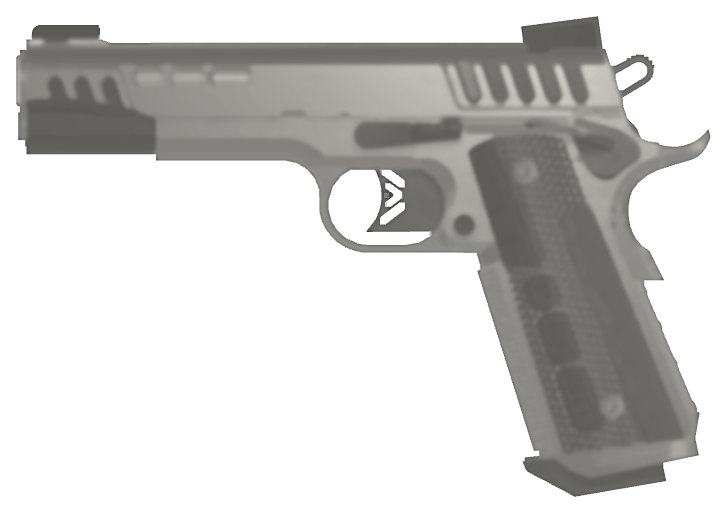
Pick the pistol that fits your hand.
A full-size single-stack classic.槍枝介紹待公司確認
Climb the challenge board.
| Rank | Shooter | Grade points | Challenge runs |
|---|
Grade points add up the grade from every challenge run in the period: F is 0, S+ is 5. More runs at higher grades climb faster.規則依 pg.controller.js 2731–2739 行
名單為示意資料From sign-up to your first run.
Fill in your account and profile, then enter the code we email you.
Type shootingx.org in the headset browser. Nothing to install.
Log in and you go straight to the range. Pick a mode and a stage. Every run is saved to the Member Center.
Sign up now. In the headset, you only need to log in.
Sign upLatest news.
FAQ.
Will it work on my headset?
Meta Quest 2, 3 and 3S all work. No PC or console needed: put on the headset, open its built-in browser and you are on the range. No headset yet? Browse the site and leaderboard on your computer to see how the three modes work.
Does it cost anything?
Not right now. Signing up, playing all three modes, climbing the leaderboard and checking your results in the Member Center are all free. Sign-up does not ask for a credit card, and there is no app or stage to buy. If we add paid content later, we will announce it in News first.
Is setup complicated?
No, and there is nothing to install. Sign up on your computer first; it is easier than typing in the headset. Then put on your Meta Quest, open our website in the headset browser, press "Enter VR" on the home page and log in to go straight to the range. Bookmark the website and you are one click from the range next time.
How much space do I need?
You can play standing in one spot; you do not need to walk around. To change position on the range, hold B or Y on the controller in your gun hand, aim at the floor and release to teleport. Before you start, set a stationary boundary on your Meta Quest and turn a full circle with your arms out to check you will not hit anything. The boundary may not detect people or pets, so watch for anyone coming close.
Will I get motion sick?
Everyone is different. Movement is by teleport: release the button and you are there. The view never slides, so you are less likely to feel sick. When you are new, take a break every few runs. If you feel dizzy or unwell, take off the headset and rest, then come back for your next run when you are ready.
Where can I see my results?
Log in to the Member Center on your computer; no headset needed. Every run is saved with its time, hits, misses and penalty, and Challenge runs also get a grade. The overview shows your recent hit-rate trend. Open a stage to see every run on a chart, with your personal best in gold.